Sugars and syrups
Sugar, dextrose, glucose, fructose, maltose, honey, agave, corn syrup, rice syrup, and juice concentrates can appear under different names across ingredient panels.
Keto shopping is hard because a front label can say low carb, zero sugar, or keto while the back label still needs a serving-size, carb, sweetener, and starch review. IngrediCheck helps you scan packaged foods against saved keto rules, flag hidden carb clues, and keep personal thresholds separate from generic nutrition scores.
Quick answer
A keto ingredient checker can flag sugars, syrups, starches, flours, maltodextrin, and sweeteners against your saved rule, but it cannot determine ketosis from a barcode. IngrediCheck helps review ingredients and claims while serving size, carb calculations, medical context, and personal thresholds remain separate decisions.
What It Catches
Workflow
Read the label
Sugar, dextrose, glucose, fructose, maltose, honey, agave, corn syrup, rice syrup, and juice concentrates can appear under different names across ingredient panels.
Maltodextrin, modified starch, tapioca, potato starch, corn starch, wheat flour, rice flour, and coating systems can complicate a product marketed as low carb.
Erythritol, maltitol, sorbitol, allulose, sucralose, and other sweeteners are counted differently across keto plans. Compare ingredients with the Nutrition Facts serving rather than relying on the front claim.
Decision boundary
IngrediCheck can apply the ingredient and sweetener rules you save; it does not calculate a universal net-carb value, measure blood glucose or ketones, or provide medical nutrition therapy. Use the label details with the carb method and clinical advice appropriate to your plan.
Detailed label guide
If you searched for a keto food search engine, first decide what answer you need. Finding meal ideas or looking up a generic food's carbohydrate value is different from checking the ingredients in a particular bar, sauce, bread, or drink. A database entry may describe another serving, flavor, country, or formulation. Match any nutrition lookup to the exact package before using it in your carb calculation.
IngrediCheck's role is ingredient review: scan a barcode or photograph the ingredient label and compare the declared ingredients with the rules you saved. For example, a bar labeled zero added sugar may still declare maltodextrin, starch, or a sweetener you chose to review. Keep those ingredient flags alongside your own check of serving size and Total Carbohydrate. The result helps you investigate the product; it is not a meal planner, a ketone measurement, or proof that a serving fits your daily carb allowance.
A keto food checker should begin with the regulated Nutrition Facts panel, not the biggest number on the front of the package. Read the serving size, servings per container, and Total Carbohydrate first. Then review dietary fiber, total and added sugars, and sugar alcohols when they are declared. This order makes a tiny serving or a multi-serving package visible before a low-looking net-carb claim controls the decision.
Net carbs are a diet calculation rather than a standardized Nutrition Facts line. Different plans subtract fiber, allulose, and sugar alcohols differently, and some shoppers count particular sweeteners more conservatively. Preserve the label inputs and let the saved profile apply the shopper's chosen method. The app should not silently invent one universal net-carb number or imply that a product keeps every person in ketosis.
Carbohydrate targets also vary. Some very-low-carbohydrate plans use a daily range around 20 to 50 grams, but clinical goals, medications, activity, and individual response can change the appropriate plan. IngrediCheck can compare the package with a threshold the shopper already follows; it does not measure blood glucose or ketones and does not replace clinician-guided nutrition therapy.
Scan direct sugars first: sugar, cane sugar, brown sugar, dextrose, glucose, fructose, maltose, honey, agave, corn syrup, rice syrup, fruit juice concentrate, and similar syrups. Next inspect starch and flour terms such as maltodextrin, modified food starch, tapioca starch, potato starch, corn starch, wheat flour, rice flour, and coating or seasoning systems. A product can declare zero added sugar and still contain digestible carbohydrate from another source.
Maltodextrin deserves an explicit flag because it appears in drink mixes, seasoning packets, protein products, sauces, snack coatings, and powdered sweetener blends. It does not look like table sugar, but it is a starch-derived carbohydrate. Keep the exact matched ingredient visible and compare it with the serving and Total Carbohydrate line instead of assuming that any one alias determines the entire product's fit.
Front claims answer narrower questions than many shoppers expect. Keto-friendly, low carb, zero sugar, no added sugar, grain free, and high protein do not guarantee the same formulation or carb calculation. Use the claim to shortlist products, then compare the back panels under the same saved rule. If a keto bread, bar, cereal, sauce, or beverage needs an unusually small serving to support its advertised number, show that discrepancy clearly.
Sugar-free products often combine erythritol, maltitol, sorbitol, xylitol, allulose, sucralose, acesulfame K, stevia, monk fruit, or other sweeteners with fibers and bulking agents. Those ingredients do not have identical carbohydrate, glycemic, digestive, or preference implications. A scanner should name the components and apply the shopper's saved rule rather than treating every sugar alcohol or high-intensity sweetener as interchangeable.
Pay attention to the full formulation. A sweetener that fits one profile may be carried in maltodextrin, combined with starch, or used in a product whose fiber subtraction does not match the shopper's calculation. Protein bars and keto snacks can also use inulin, chicory root fiber, gums, emulsifiers, oils, and preservatives. Those additives do not define ketosis, but they may belong in a separate personal preference or digestive-tolerance rule.
For comparisons, keep macro and ingredient questions in distinct layers. First decide whether the serving and carbohydrate math fit the plan. Then review sweeteners, oils, allergens, and additives. This prevents a generic clean-label preference from being presented as a keto requirement and prevents a low-carb number from overriding an ingredient that the household deliberately avoids for another reason.
Use one repeatable order for packaged foods: scan the current barcode or label photo, confirm the serving, review Total Carbohydrate, examine fiber and sugar-alcohol assumptions, then inspect sugars, syrups, starches, flours, and sweetener systems. Recheck a familiar product whenever the package size, claim, ingredients, country, or manufacturer changes. A purchase history speeds up retrieval but cannot prove that today's formula is unchanged.
Product comparisons are more reliable than isolated green-or-red scores. Put two snack bars, breads, sauces, or drinks under the same threshold and show which label facts create the difference. One may have fewer total carbs but use maltitol; another may have a larger serving and a simpler sweetener system. The app can organize those tradeoffs clearly while the shopper decides which one fits the plan, clinical context, and tolerance they actually use. Record the serving and matched rule so a future reformulation can be compared against the same evidence.
Menus and online listings need a stricter uncertainty boundary. A restaurant item can omit sauce ingredients, breading, glazes, portion size, or preparation details, and a menu scanner cannot infer them from the dish name. Use available text to identify questions, then confirm the current nutrition and ingredient information with the restaurant when it matters. A keto-plus-halal, allergy, or other combined profile should display each rule separately instead of converting incomplete menu data into a universal approval.
Related Scanner Paths
AIP Ingredient Checker App
Scan packaged foods against AIP-style saved rules for grains, legumes, dairy, nightshades, seeds, and additives with IngrediCheck.
Alpha-Gal Ingredient Checker App
Scan labels for alpha-gal shopping rules, gelatin, lard, broth, dairy clues, and mammalian-source ingredients with IngrediCheck.
Check Foreign Food Labels Against Your Food Notes
Use IngrediCheck to photograph some foreign food labels, review available ingredient information, and check it against saved Food Notes while traveling.
Erythritol
Erythritol is a low-calorie sugar alcohol used in keto products, protein snacks, tabletop sweeteners, and reduced-sugar beverages. It is popular because it adds sweetness without behaving like table sugar in every nutrition panel.
Sucralose
Sucralose is a high-intensity sweetener used in diet drinks, flavored dairy, protein products, tabletop packets, and low-sugar baking mixes. It is popular because it is intensely sweet, shelf-stable, and easy to formulate around.
Acesulfame potassium
Acesulfame potassium is a high-intensity artificial sweetener used in zero-sugar drinks, gum, protein products, and reduced-sugar packaged foods. It matters because it is a common formulation tool in modern ultra-processed products even when shoppers do not always recognize the label name.
Neotame
Neotame is an ultra-potent artificial sweetener used in tiny amounts in reduced-sugar processed foods and beverages. It matters because shoppers often do not notice it even when it is doing a significant amount of the sweetness work in the final formulation.
Label Clues
sweetener
Erythritol: what it does in food, current safety notes, diet compatibility, and shopper guidance from IngrediCheck.
sweetener
Sucralose: what it does in food, current safety notes, diet compatibility, and shopper guidance from IngrediCheck.
sweetener
Acesulfame potassium: what it does in food, current safety notes, diet compatibility, and shopper guidance from IngrediCheck.
sweetener
Neotame: what it does in food, current safety notes, diet compatibility, and shopper guidance from IngrediCheck.
Related Guides
Jun 11, 2026 | 12 min read
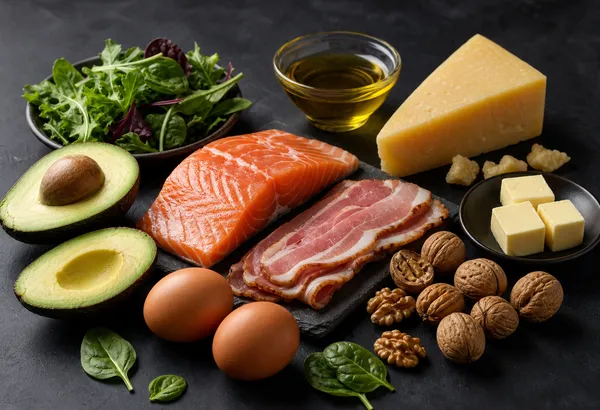
An encyclopedic guide to the ketogenic diet covering hidden carbohydrate sources in processed food, the net carb calculation, sugar alcohol glycemic impacts, maltodextrin in seasonings, how to read keto labels, and common traps in "keto-friendly" products.

Apr 21, 2026 | 8 min read
A practical guide to checking packaged foods against your own allergies, diets, and ingredient preferences, instead of relying on a generic food score.
May 13, 2026 | 9 min read
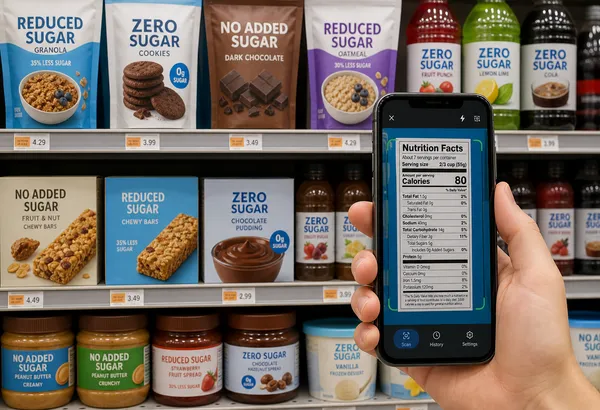
A sugar-free and no added sugar scanner helps shoppers compare claims, added sugars, sweeteners, sugar alcohols, and hidden carbs against saved rules.

Apr 4, 2026 | 9 min read
Erythritol has zero net carbs and doesn't spike blood sugar, making it a go-to sweetener for keto dieters. But emerging research raises questions worth understanding before you stock up.
FAQ
A food search engine helps you find foods or nutrition entries; an ingredient checker reviews the package you have. IngrediCheck screens declared ingredients against your saved keto rules. Confirm serving size and carbohydrate values on the current Nutrition Facts panel; a scan does not calculate a universal net-carb allowance or determine ketosis.
No. IngrediCheck reviews food labels against saved rules. It does not measure ketones, provide medical nutrition therapy, or replace clinician guidance.
Maltodextrin, dextrose, glucose syrup, modified food starch, tapioca starch, potato starch, maltitol, and tiny serving sizes are common review points.
No. Keto rules can vary by carb threshold, sugar alcohol counting, medical context, and additive preferences, so IngrediCheck works best when the saved rule reflects the shopper's own plan.
Scan labels, see what fits your food notes, and read the why in plain English.