Sugar-Free and No Added Sugar Scanner: Read Claims the Right Way

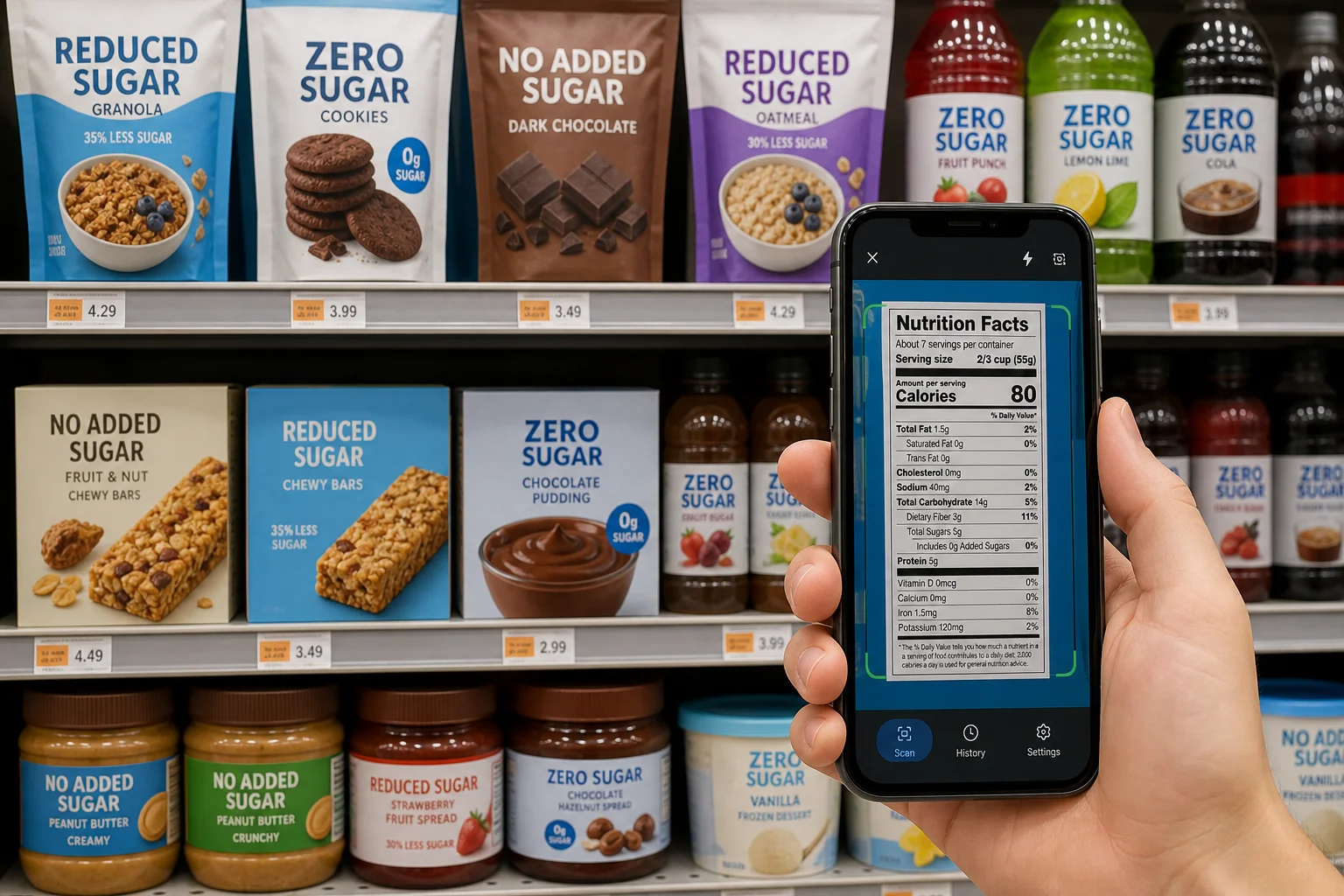
Front-of-package sugar claims can be useful, but they can also blur together. Sugar free, zero sugar, no sugar added, reduced sugar, low carb, and diabetic friendly do not all mean the same thing.

A sugar-free and no added sugar scanner helps shoppers slow that claim down. Instead of trusting the front of the package, scan the label, review the Nutrition Facts panel and ingredient list, and compare the product against your saved sugar, sweetener, and carbohydrate rules.
Sugar Free and No Added Sugar Are Different Claims

Sugar Free and No Added Sugar Are Different Claims

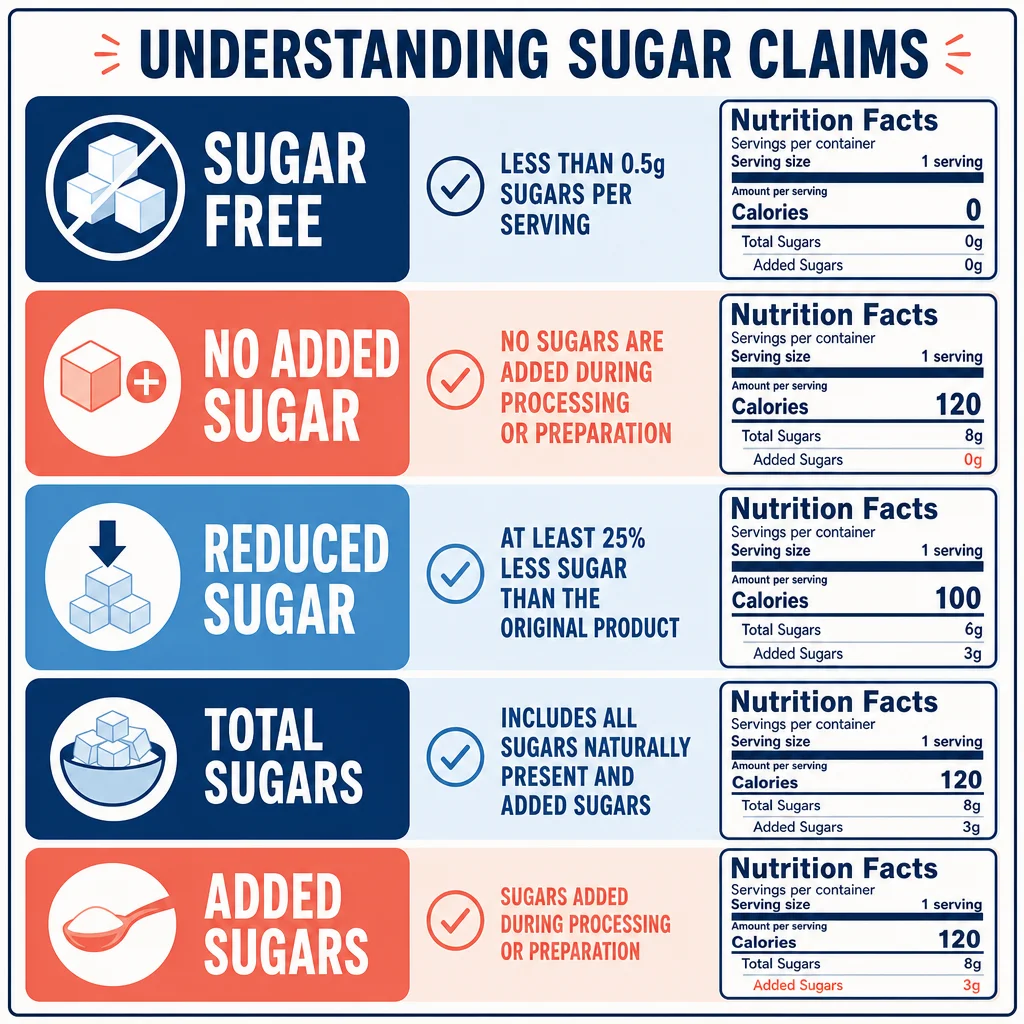
Under 21 CFR 101.60, U.S. sugar content claims have specific conditions.

Sugar free, zero sugar, no sugar, and similar terms generally require the food to contain less than 0.5 grams of sugars per reference amount customarily consumed and per labeled serving. The rule also addresses calorie-related disclosure because consumers may assume sugar-free means lower calorie.

No added sugar, without added sugar, or no sugar added is different. That claim focuses on whether sugars or sugar-containing ingredients were added during processing or packaging and whether the food resembles a product that normally contains added sugars. A no-added-sugar fruit product can still contain naturally occurring sugars.

That is the first reason a scanner is useful. The claim on the front of the package is not enough. You need to know what claim was made and what the label actually shows.

Added Sugars Are the Label Line to Check First

The FDA explains that added sugars include sugars added during processing, packaged sweeteners, sugars from syrups and honey, and sugars from concentrated fruit or vegetable juices when they exceed what would be expected from the same volume of 100 percent juice. The Daily Value for added sugars is 50 grams per day on a 2,000 calorie diet.

The label line matters because total sugars and added sugars answer different questions:

  • Total Sugars includes naturally occurring sugar plus added sugar.
  • Includes X g Added Sugars tells you how much sugar was added during processing.
  • Percent Daily Value shows whether the serving is a low or high contributor to the daily limit.

The American Diabetes Association also tells people with diabetes to check added sugars on Nutrition Facts labels and understand common sugar claims. That is important because a diabetic food scanner should not only search for the word sugar. It should help the shopper compare total carbohydrate, fiber, added sugars, and sweetener system.

Hidden Sugars Still Live in the Ingredient List

The Nutrition Facts panel is the fastest place to start, but the ingredient list explains the formulation.

The CDC's diabetes guidance on spotting hidden sugars highlights common sugar words such as cane sugar, corn syrup, high-fructose corn syrup, rice syrup, molasses, caramel, honey, agave, and ingredients ending in -ose, including glucose, fructose, lactose, maltose, dextrose, and sucrose.

For label scanning, that means the app should flag more than the exact word sugar. A practical saved rule might include:

  • cane sugar
  • brown sugar
  • corn syrup
  • high-fructose corn syrup
  • honey
  • agave
  • fruit juice concentrate
  • dextrose
  • glucose
  • maltose
  • rice syrup
  • maple syrup
  • molasses

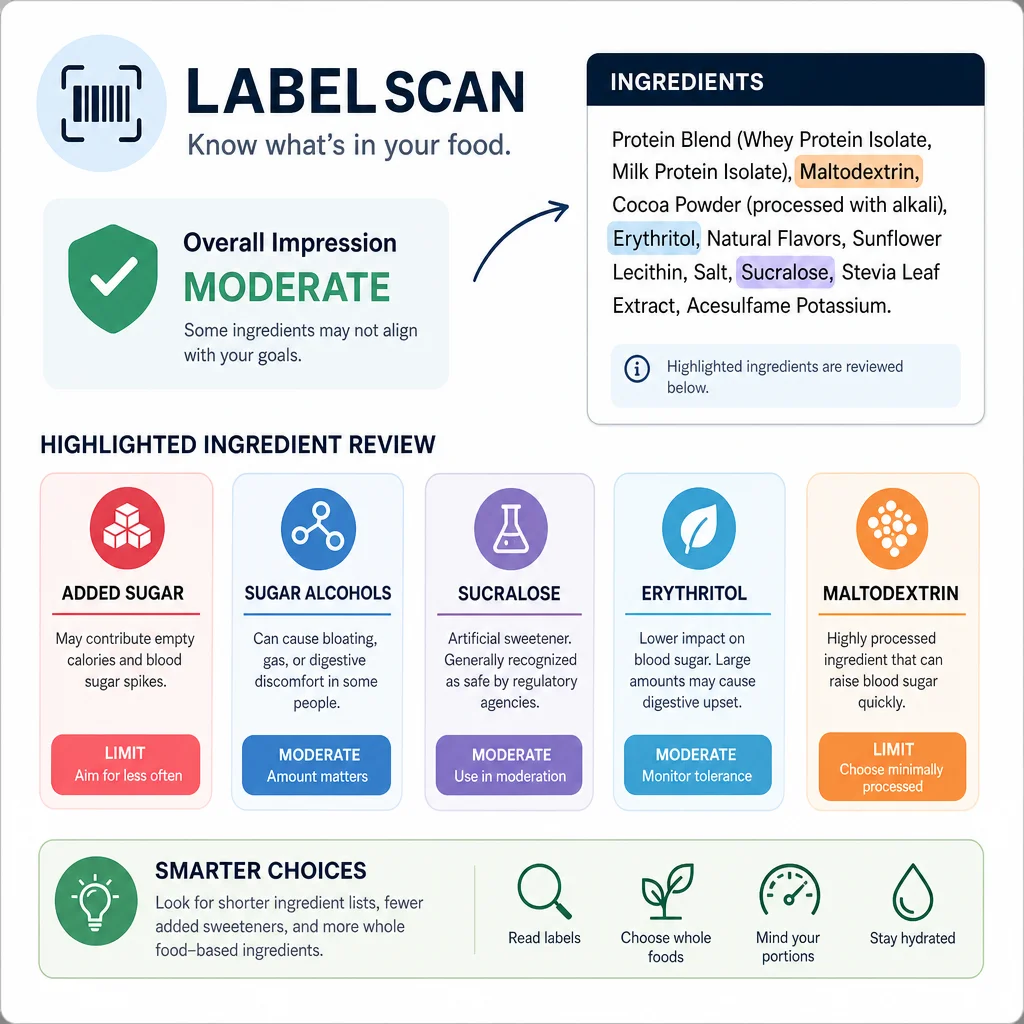
If you are also watching quick-digesting carbohydrates, maltodextrin deserves its own rule because it is a digestible starch-derived carbohydrate used widely in processed foods.

Sugar Alcohols and Non-Sugar Sweeteners Need Their Own Layer

Sugar Alcohols and Non-Sugar Sweeteners Need Their Own Layer

Sugar-free products often use sugar alcohols or high-intensity sweeteners. That can be useful, but the label still deserves review.

Under 21 CFR 101.9, sugar alcohol declaration is voluntary in some cases but required when a claim is made about sugar alcohol, total sugars, or added sugars and sugar alcohols are present. In the grocery aisle, that means sugar alcohols can be part of the same claim story as sugar-free or reduced-sugar packaging.

Common terms include:

  • erythritol
  • xylitol
  • sorbitol
  • maltitol
  • mannitol
  • isomalt

IngrediCheck already has ingredient context for erythritol, sucralose, and neotame, which are common in the reduced-sugar and low-carb label universe.

Why a Diabetic Food Scanner Should Look Beyond Sugar

Searches for a diabetic food scanner often start with sugar, but label review should not stop there. People managing blood glucose usually need to look at total carbohydrate, fiber, serving size, added sugars, and sometimes sugar alcohols.

The scanner should therefore support rules like:

  • flag more than 5 grams added sugars
  • flag sugar alcohols for digestive review
  • flag maltodextrin, dextrose, and glucose syrup
  • highlight serving size when the package contains multiple servings
  • compare total carbohydrate across similar products

It should also avoid pretending that one app setting is medical advice. The product's job is to organize label information and apply saved user rules. Your clinician or dietitian's guidance determines which thresholds matter.

How IngrediCheck Helps

IngrediCheck lets you scan a barcode or ingredient label and compare the product against saved rules. For sugar-free, no added sugar, or diabetes-aware shopping, that means you can set your own review rules and see why a product was flagged.

For example:

  • flag added sugar above 5% DV
  • flag dextrose, glucose syrup, and maltodextrin
  • flag sugar alcohols for review
  • flag sucralose and neotame
  • show total carbohydrates before I decide

That makes the app more useful than a generic score. You are not asking whether a product is good or bad for everyone. You are asking whether it fits your saved food rules.

For broader scanner context, use the ingredient checker app guide and the ingredient checker and food scanner guides hub. Keto shoppers should also compare this with the keto food scanner app guide, because low sugar and low carb often overlap but are not identical.

A Practical Sugar Claim Routine

Use this order:

  1. Identify the claim: sugar free, no added sugar, reduced sugar, or something else.
  2. Check serving size.
  3. Read Total Sugars and Added Sugars.
  4. Review Total Carbohydrate if blood sugar or keto rules matter.
  5. Scan the ingredient list for sugar names, sugar alcohols, and sweeteners.
  6. Compare the result against your saved rules rather than the package marketing.

That routine catches the difference between no added sugar apple sauce, zero sugar soda, reduced sugar cereal, and a keto bar that still uses ingredients you personally want to review.

Try It on Your Next Reduced-Sugar Product

Sugar claims are easier to use when they are checked against the actual label. IngrediCheck helps you scan the product, surface sweeteners and hidden carb clues, and decide whether the food fits the sugar rules you already use.

Next Label Check

Follow the scanner, hub, and ingredient paths connected to this guide

Frequently Asked Questions

Does no added sugar mean sugar free?

No. No added sugar means sugars or sugar-containing ingredients were not added in the way the FDA claim allows. The food may still contain naturally occurring sugars.

What does sugar free mean on a U.S. label?

Under FDA rules, sugar free generally means less than 0.5 grams of sugars per reference amount and labeled serving, with additional disclosure rules when relevant.

Can IngrediCheck replace diabetes nutrition advice?

No. IngrediCheck helps screen labels against saved rules. People managing diabetes should still follow their clinician or dietitian's guidance.

Get the app for clearer label decisions.

Scan labels, see what fits your food notes, and read the why in plain English.

IngrediCheck app