Low-Sodium Food Scanner: Check Salt Claims and Hidden Sodium

Low-sodium shopping is not just about avoiding the salt shaker. Most sodium in the modern diet comes from packaged, restaurant, and prepared foods, which means the label is the real work surface.

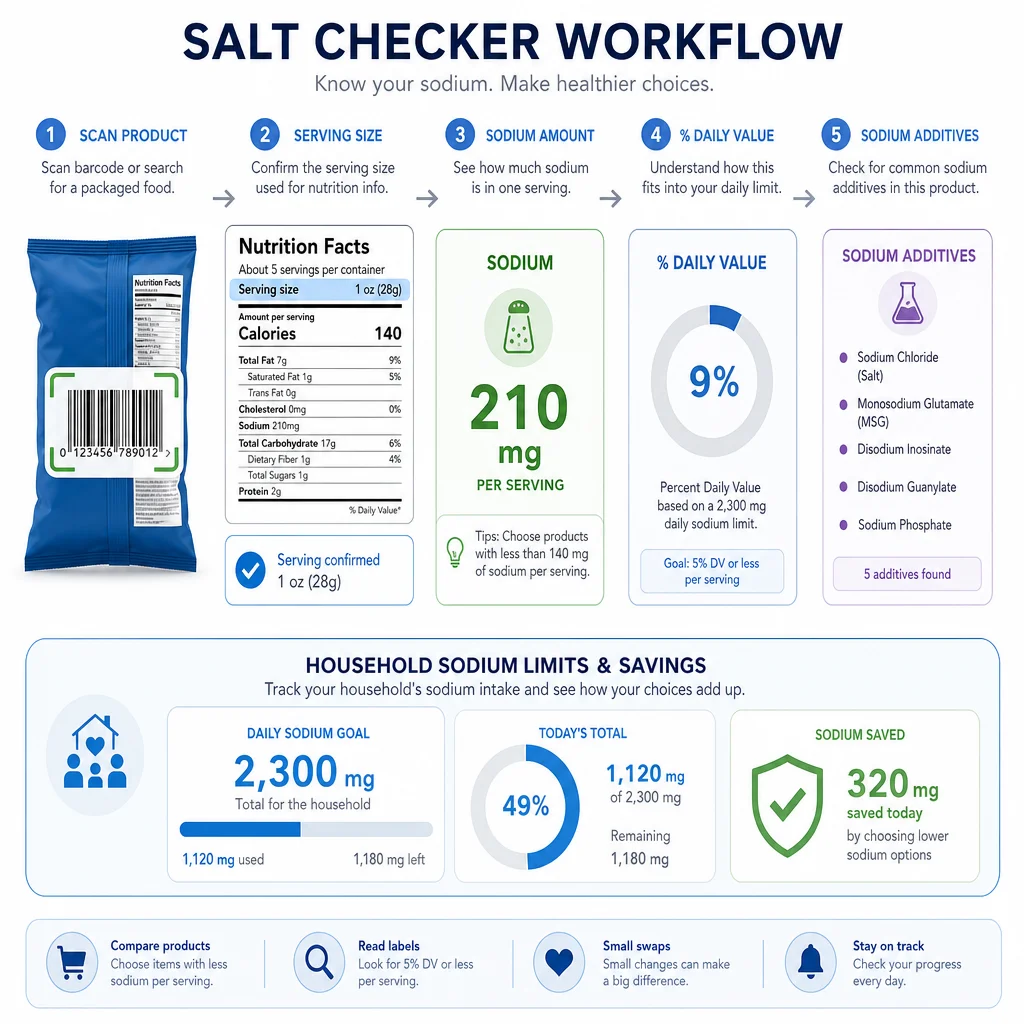
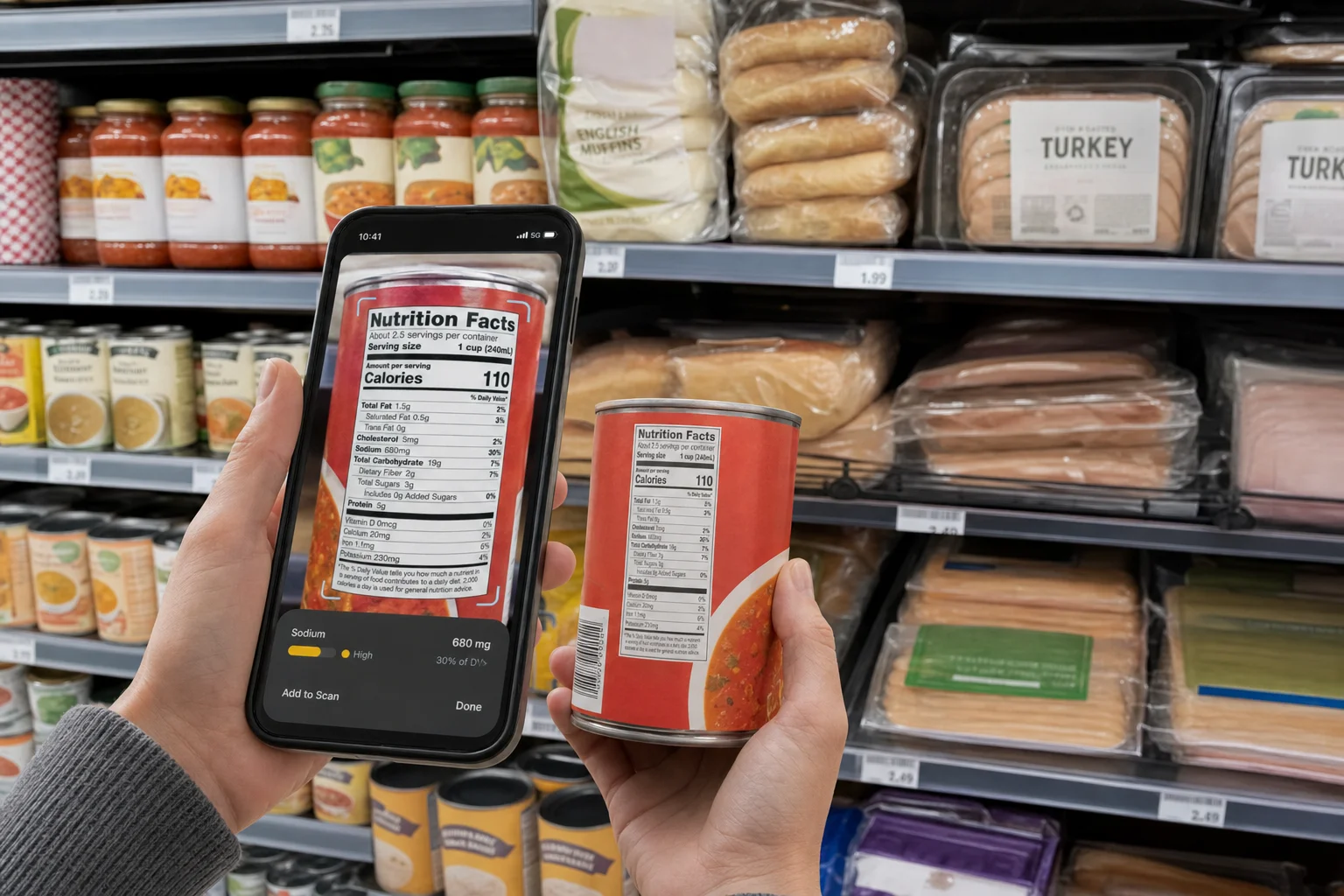
A low-sodium food scanner helps turn that work into a repeatable check. Scan the barcode or Nutrition Facts label, compare the product against your saved sodium limit, and review hidden sodium ingredients before the food goes in the cart.

Start With the Sodium Line and Serving Size

The FDA's Sodium in Your Diet guidance says Americans eat about 3,400 mg of sodium per day on average, while the Dietary Guidelines recommend adults limit sodium to less than 2,300 mg per day. The American Heart Association recommends no more than 2,300 mg per day and an ideal limit of no more than 1,500 mg per day for most adults.

Those numbers are day-level budgets. The Nutrition Facts panel gives sodium per serving. That means serving size is the first thing to check.

A soup can may list one cup as a serving while the container holds two servings. A sauce may list one tablespoon. A frozen meal may look reasonable until you compare it with the rest of the day's foods. A scanner should help with that math instead of only searching for the word salt.

Low Sodium, Reduced Sodium, and No Salt Added Are Different

Low Sodium, Reduced Sodium, and No Salt Added Are Different

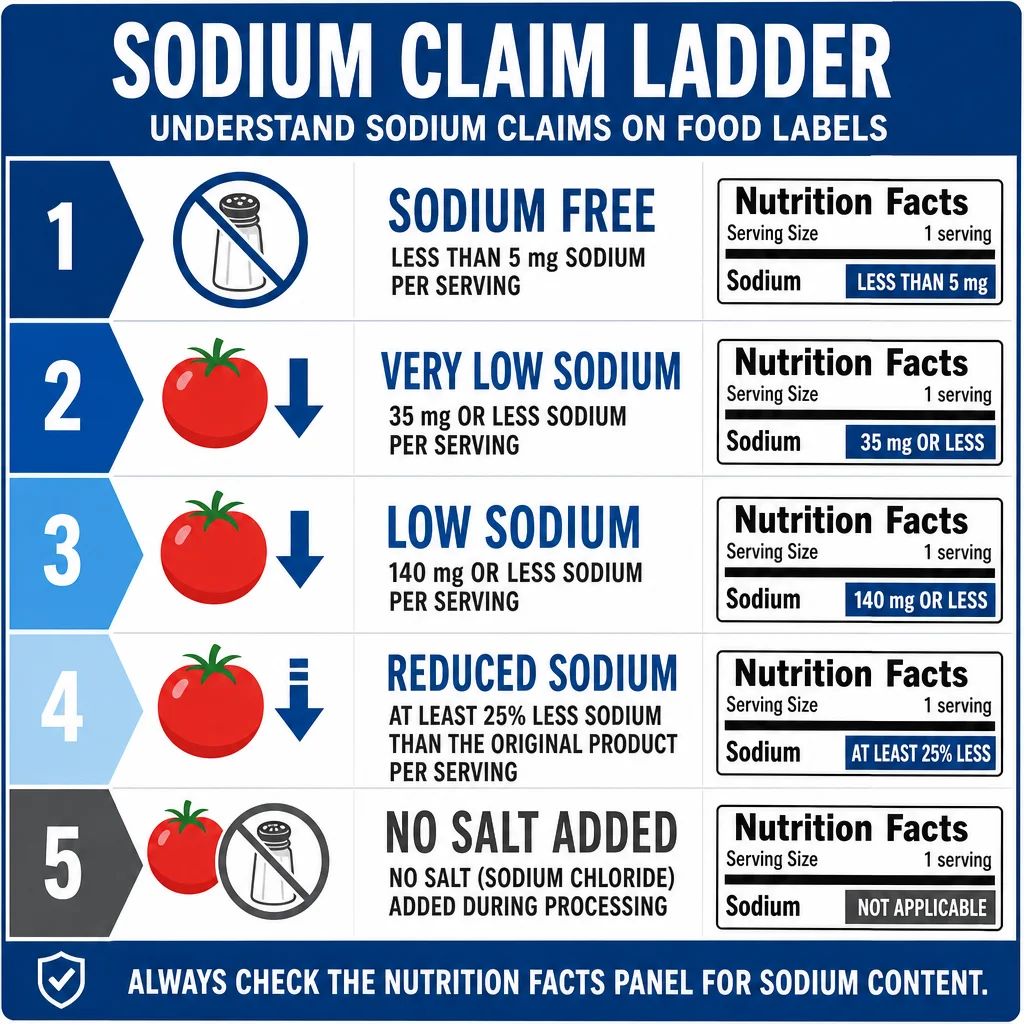
Front-label sodium claims are useful only if you know what they mean.

Under 21 CFR 101.61, low sodium has a defined threshold. For most individual foods, it means 140 mg or less sodium per reference amount customarily consumed and per labeled serving, with added rules for small serving sizes and meal products.

Other claims mean different things:

  • sodium free generally means less than 5 mg sodium per reference amount and serving.
  • very low sodium generally means 35 mg or less.
  • low sodium generally means 140 mg or less.
  • reduced sodium or less sodium means at least 25% less sodium than an appropriate reference food.
  • light in sodium means a larger relative reduction in specific claim contexts.
  • no salt added means salt was not added during processing, not that the product contains no sodium.

The trap is reduced sodium. If the regular product has 900 mg per serving, a 25% reduction can still leave more than 600 mg per serving. That might be better than the original, but it is not automatically low sodium.

Hidden Sodium Is More Than Table Salt

The sodium line on Nutrition Facts is the main number. The ingredient list explains where some of that sodium comes from.

Common sodium-containing ingredients include:

  • salt or sea salt
  • monosodium glutamate
  • sodium benzoate
  • sodium phosphate
  • disodium phosphate
  • sodium bicarbonate
  • sodium citrate
  • sodium nitrate or sodium nitrite
  • sodium erythorbate
  • sodium caseinate
  • sodium alginate
  • disodium inosinate
  • disodium guanylate

These ingredients are not all doing the same job. Some preserve food, some enhance flavor, some control acidity, some improve texture, and some help dough rise. But for a sodium-aware shopper, the shared clue is that the product may be using sodium in several different ways.

That is why a salt checker app should not stop at one ingredient. It should combine the Nutrition Facts sodium number with ingredient-list clues. If kidney-health or phosphorus rules matter in your household, phosphate additives need their own review too, because phosphates in meat, cheese, and processed foods are not only a sodium question.
Packaged Foods That Need a Second Look

The FDA's sodium reduction work focuses on commercially processed, packaged, and prepared foods because those categories drive intake at population scale. The high-sodium foods are not always obvious.

Common label traps include:

  • bread, rolls, bagels, and tortillas
  • canned soup and boxed broth
  • deli meats and cured meats
  • frozen meals
  • jarred pasta sauce
  • bottled salad dressing
  • pickles, olives, and condiments
  • cheese and cottage cheese
  • seasoned snacks
  • instant noodles and seasoning packets
  • plant-based meat alternatives

Some of these foods do not taste very salty. Bread is a good example. A single slice may not look alarming, but two slices plus deli meat, cheese, mustard, and pickles can use a large part of a daily sodium budget.

What a Low-Sodium Scanner Should Actually Do

What a Low-Sodium Scanner Should Actually Do

A practical low-sodium food scanner should:

  • read the Nutrition Facts sodium line
  • show serving size and servings per container
  • support saved daily or per-meal thresholds
  • flag FDA sodium claims and explain them
  • flag sodium-containing ingredient names
  • compare similar products in the same category
  • support household profiles for different sodium limits
  • remind users that medical sodium targets are personal

That last point matters. Sodium targets can differ for people with hypertension, kidney disease, heart failure, pregnancy-related concerns, endurance training needs, or clinician-guided nutrition plans. A scanner should help apply the threshold a user saved, not invent medical advice.

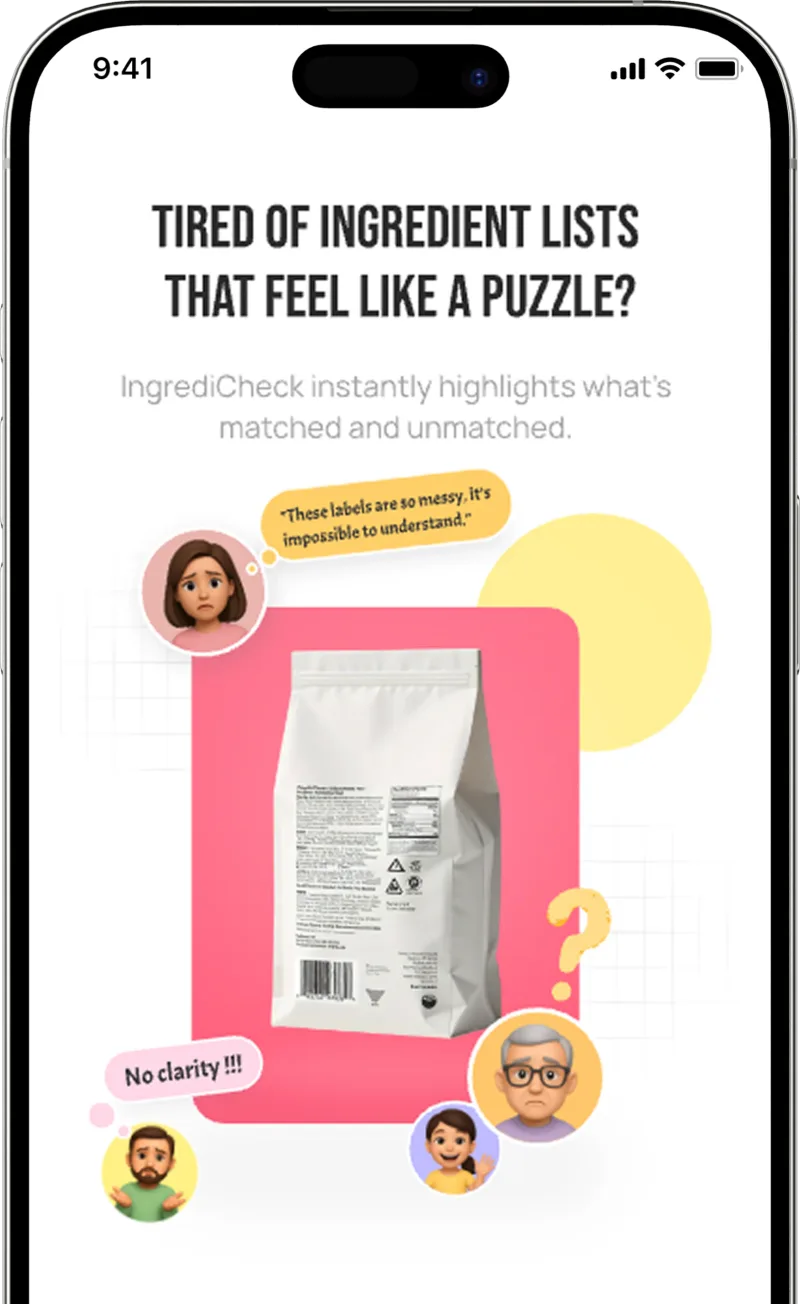
Where IngrediCheck Fits

IngrediCheck is built for saved food rules. For low-sodium shopping, that means you can set rules such as:

  • flag foods over 400 mg sodium per serving
  • flag reduced sodium claims for review
  • flag sodium benzoate, MSG, sodium phosphate, and sodium nitrite
  • flag sauces and soups above my meal limit
  • compare this product against my heart-health profile

Then you can scan the label and see why the product matched or conflicted.

For the broader scanner cluster, compare this post with the ingredient checker app guide, the DASH diet label-reading guide, and the full ingredient checker and food scanner guides hub.

A Practical Low-Sodium Label Routine

Use this order:

  1. Check serving size first.
  2. Read sodium milligrams per serving.
  3. Compare the number with your saved meal or daily budget.
  4. Check whether the front claim is low sodium, reduced sodium, or no salt added.
  5. Scan the ingredient list for sodium-containing additives.
  6. Compare brands within the same category.
  7. Follow clinician guidance if you are managing a medical condition.

The goal is not to make every food sodium-free. The goal is to stop one hidden-sodium product from quietly consuming the whole budget.

Make Sodium a Visible Rule

Low-sodium shopping gets easier when the sodium number, serving size, and ingredient clues are checked together. IngrediCheck helps make that review faster, while keeping the final decision tied to the sodium rules you already follow.

Next Label Check

Follow the scanner, hub, and ingredient paths connected to this guide

Frequently Asked Questions

What does low sodium mean on a food label?

Under FDA rules, low sodium generally means 140 mg or less sodium per reference amount and labeled serving, with special rules for small servings and meal products.

Is reduced sodium the same as low sodium?

No. Reduced sodium means at least 25% less sodium than a reference food, but the product can still be high in sodium.

Can IngrediCheck replace medical sodium advice?

No. IngrediCheck can help screen labels against saved sodium rules, but people with hypertension, kidney disease, heart failure, or other conditions should follow clinician guidance.

Get the app for clearer label decisions.

Scan labels, see what fits your food notes, and read the why in plain English.

IngrediCheck app